How to Design a Student Content Creator Program With Clear Roles and Guardrails
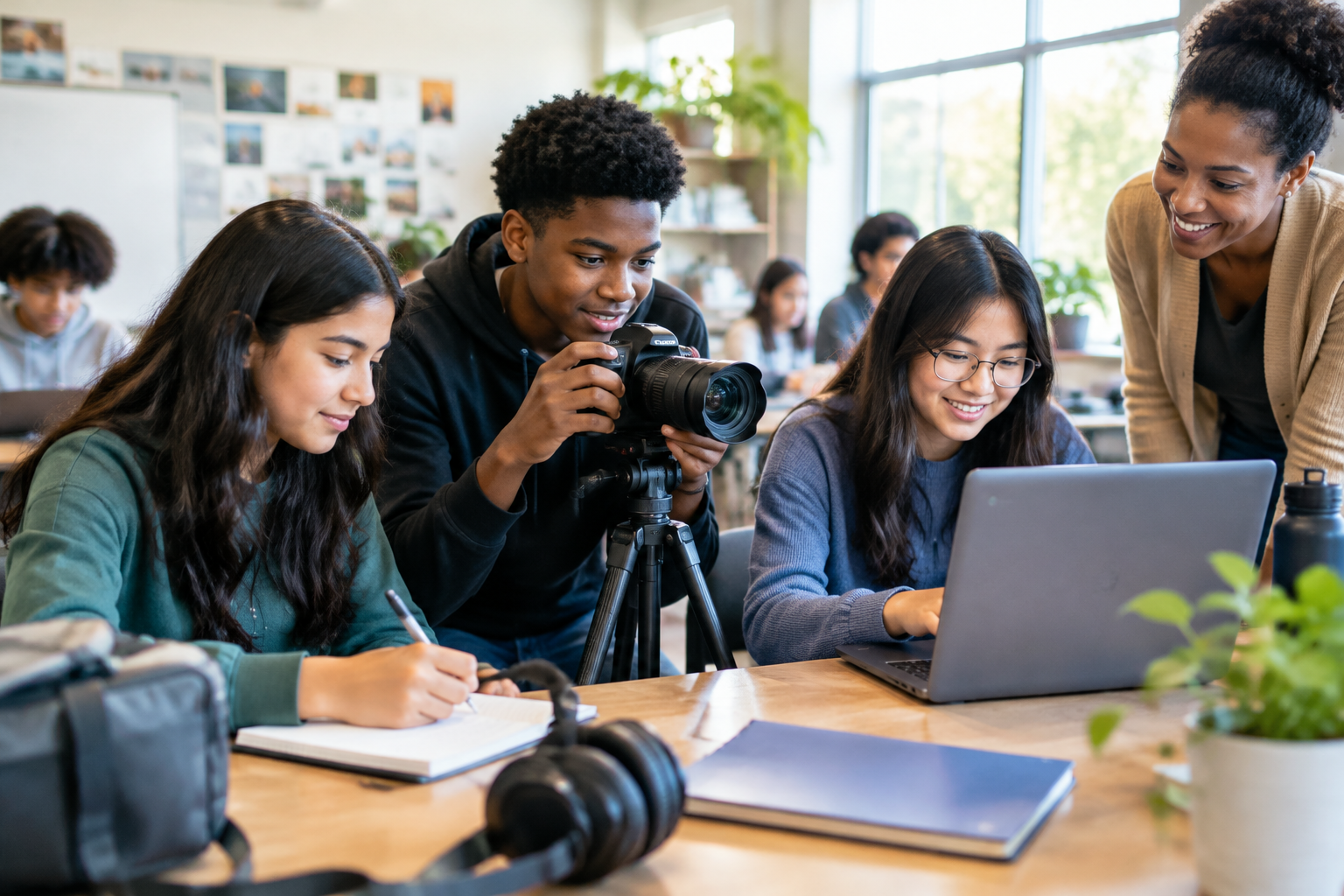
A practical framework for recruiting student creators inclusively, setting editorial responsibilities, coaching participants, protecting privacy, and distinguishing authentic school storytelling from influencer promotion.
A student content creator program can give young people meaningful ways to tell school stories and build communication skills. It can also create confusion if students are expected to publish without clear responsibilities, adult support, or privacy rules.
The best programs are not simply student-run social accounts. They are structured learning and storytelling opportunities: students contribute ideas and creative work, while designated adults retain responsibility for supervision, permissions, editorial decisions, and publication.
This guide offers a practical framework for designing that program. It covers recruitment, roles, coaching, approvals, consent, safety, and the important distinction between authentic student storytelling and influencer-style promotion. If you are evaluating student content creator program software, use the same framework to assess whether a tool can support your policies and workflows—not replace them.
Start with the purpose, not the platform
Before choosing tools or inviting students, write down why the program exists. A clear purpose helps determine what students may create, who reviews their work, and how success should be assessed.
Possible goals include:
- Sharing student perspectives on learning, clubs, arts, athletics, or school traditions.
- Helping students develop writing, photography, video, design, or media-literacy skills.
- Making school communications more representative of the experiences students actually have.
- Creating supervised opportunities to explore communications and creative careers.
These goals can overlap, but they are not identical. A career-learning program needs coaching and reflection. A school storytelling program needs an editorial process and an audience. A recruitment campaign may need carefully scoped information and review. Define which purposes apply, and be transparent with students and families about them.
Avoid promising that participation will produce professional credentials, employment, or particular outcomes. Describe the actual activities, support, and learning opportunities the school intends to provide.
Recruit inclusively and make participation accessible
A program can unintentionally favor students who already have free time, personal devices, confidence on camera, or connections to staff. Plan recruitment to reach beyond the students who are easiest to find.
Offer more than one way to contribute
Not every contributor needs to appear on camera. Invite students to take on a range of roles, such as:
- Story researcher or interviewer.
- Writer, editor, or fact-checker.
- Photographer, illustrator, or graphic designer.
- Video camera operator, sound assistant, or caption writer.
- Presenter, narrator, or on-camera host—when they freely choose that role.
- Accessibility reviewer who checks captions, readability, or image descriptions.
A variety of roles lets students contribute their strengths while trying new skills. It also reduces the pressure to treat visibility as the main measure of participation.
Make the invitation clear and fair
Explain the time commitment, meeting schedule, supervision, expected conduct, selection process, and likely types of work before students apply or sign up. Use more than one recruitment route: for example, school announcements, adviser referrals, club outreach, and an open interest form. Make the opportunity accessible to students with different schedules and communication needs where feasible.
If places are limited, publish selection criteria and consider a transparent rotation, application, or cohort approach. Do not assume that a student who is quiet, new to the school, or unfamiliar with media tools has nothing to contribute. Provide an orientation so students do not need prior equipment or publishing experience to participate.
Define roles and editorial responsibility
“Students help with social media” is too vague to guide safe, consistent work. Set out who proposes, produces, reviews, approves, publishes, and responds to each item.
A simple responsibility model might look like this:
| Program activity | Student contributor | Designated adult |
|---|---|---|
| Suggest a topic or story | Shares an idea and context | Checks fit with program purpose and school priorities |
| Draft or create content | Produces an assigned draft or asset | Coaches, checks accuracy, and reviews sensitivity |
| Review permissions and details | Flags people, locations, names, or information shown | Confirms required permissions and policy compliance |
| Approve publication | Responds to editorial feedback | Makes the final publication decision under school policy |
| Publish and monitor | Participates only within approved access rules | Controls authorized publishing access and monitors responses |
This division is a starting point, not a substitute for local policy. Schools should specify which adult has final authority and what happens when that adult is unavailable. Students should know that a draft is not approved just because it is finished, shared in a group chat, or scheduled in a tool.
Document boundaries as well. For example, students should not independently promise responses on behalf of the school, speak for other students, share sensitive school information, or use school accounts to debate individual complaints. Establish a route for referring questions and concerns to the appropriate staff member.
Coach students without taking over their voice
Adult coaching should help students make stronger work while preserving their perspective. The adult is responsible for safety and editorial oversight; that does not mean every student contribution must be rewritten to sound like a formal institutional announcement.
A useful coaching cycle is:
1. Pitch: The student explains the story idea, intended audience, and why it matters.
2. Plan: Student and coach identify sources, format, access needs, and possible risks.
3. Create: The student drafts or produces the work with agreed support.
4. Review: The adult and student check accuracy, permissions, tone, and safety.
5. Revise: The student makes edits and asks questions about feedback.
6. Reflect: After publication—or a decision not to publish—the team discusses what was learned.
Teach practical skills as part of the process: interviewing, attribution, checking names and dates, writing captions, using accessible language, recognizing misleading images, and separating observed facts from personal opinion. Explain why a change is needed rather than silently editing a student's work whenever possible.
Students should also understand that an editorial decision not to publish is not necessarily a judgment about their abilities. A story may be delayed or declined because consent is missing, facts cannot be verified, timing has changed, or the subject is too sensitive for the format. Give students a clear way to ask for feedback.
Set permissions, privacy, and safety rules before production
Schools should develop consent and privacy procedures with the staff responsible for student records, communications, safeguarding, and applicable school policy. Requirements differ by context; this article is not legal advice. A permission process should be understandable, consistently applied, and checked before content is captured or published.
Make permission specific and trackable
Clarify what permission covers: the type of content, intended channels, how the school may use it, and whether the student’s name or other identifying details may appear. Explain how families or students can raise questions and what process the school follows when permission changes, consistent with its policy and obligations.
Keep the permission status available to the adults reviewing work. A general assumption that “the student is in the club” is not a reliable substitute for checking whether a particular use is authorized. Before publication, review everyone who can be identified in the content—not only the student creator.
Onward Signal’s product information describes student media-consent safeguards and role-based approvals. Those features can support a school’s workflow, but the school must still establish its consent rules, determine what applies to each use, and verify that the process meets its needs.
Protect information that should not be public
Train students to watch for details that can disclose more than intended. Depending on the context, these may include full names, schedules, classroom or route details, student work with identifying information, contact details, or views into restricted areas. Review backgrounds, reflections, badges, documents, and audio—not only the main subject of a photo or video.
Set explicit rules for passwords, account access, direct messages, personal devices, location tagging, and the use of private or personal student accounts. Students should not be asked to share account credentials or handle sensitive messages. Define which adult receives concerns and what students should do if they encounter harassment, a privacy issue, or an unsafe interaction.
Plan for respectful, accessible storytelling
Ask whether the people featured understand the context and are comfortable being included. Avoid pressuring students to disclose personal experiences or appear publicly. Build in a way to participate without being filmed, and make sure students know how to decline a particular assignment.
Use captions for video where appropriate, check that text is readable, and consider how images and language represent students with different identities and needs. A diverse group of creators is not a reason to expect any student to speak for a whole community.
Keep journalism and school storytelling separate from influencer promotion
Student journalism and authentic school storytelling are not the same as influencer advertising. Journalism emphasizes reporting, accuracy, attribution, and editorial judgment. School storytelling can share firsthand experiences and school activities while being clear about the perspective and purpose. Influencer promotion, by contrast, typically relies on a creator endorsing or promoting an organization, product, or message to an audience.
A school can invite students to share what they genuinely experienced without asking them to deliver scripted praise. Avoid requiring students to present the school as flawless, make claims they cannot verify, or use personal social accounts to promote school messages. Be cautious about incentives or participation requirements that could make a student’s endorsement appear compulsory or misleading.
When content is promotional, identify its purpose honestly and follow school policy and applicable requirements. Do not label an advertisement or recruitment message as independent student journalism. And do not treat student creators as a substitute for the school’s own communications team: adults remain responsible for official claims, sensitive topics, and institutional responses.
Choose software that supports the program you designed
Software should fit the program’s roles and safeguards. It should not be the policy, the adult coach, or the final decision-maker.
When reviewing student content creator program software, ask:
- Can staff assign distinct responsibilities and approval steps?
- Can the workflow show which items are drafts, approved, scheduled, or published?
- Can staff apply school-defined permissions and review who appears in content?
- Are student and staff access levels appropriate to the school’s supervision model?
- Can contributors work in a browser on school-managed devices, if that fits the school’s environment?
- Can the process accommodate multiple schools or teams if a network needs shared oversight?
- Can staff review and manage audience responses through an appropriate adult-owned workflow?
- Are analytics presented in a way that supports learning and communication goals rather than rewarding attention at any cost?
Onward Signal is a browser-first, AI-powered school social media and communication intelligence product. Its described capabilities include student and staff creator workflows, a Creative Studio for communication assets, role-based approvals, student media-consent safeguards, multi-school controls, publishing architecture, a social inbox, analytics, enrollment attribution, templates, automation, and Chromebook-friendly browser workflows. These are product capabilities, not a guarantee that a particular program will meet every school’s operational, accessibility, privacy, or policy requirements. Schools should evaluate the workflows against their own needs and conduct appropriate reviews.
For a closer look at the student creator offering, visit [Onward Signal’s student creators solution](/solutions/student-creators).
Start small, then evaluate the program
A pilot can help a school test its process before expanding participation. Begin with a defined audience, a small set of content types, named adult supervisors, and a documented review path. Choose a few measures that match the program’s purpose, such as participation across different roles, completion of coaching activities, accessibility checks, or whether approved content is published on schedule. Do not assume that reach or engagement alone demonstrates educational value.
After the pilot, ask students and staff what worked, where approval steps felt unclear, and whether participants had meaningful choices. Review any near misses or corrections without turning them into a reason to silence student perspectives. Update the rules, training, or workflow before broadening the program.
Frequently asked questions
Do student creators need their own social media accounts?
Not necessarily. A school can manage publication through school-owned channels and adult-controlled workflows. Decide whether students need publishing access at all; creating a draft does not require holding an account password or posting independently.
Should students have the final say over what gets published?
Students should be involved in shaping and revising their work. The school should also identify the adult responsible for final approval under its policies. Make that arrangement clear from the start, including how edits and decisions not to publish are explained.
How can a program include students who do not want to be on camera?
Offer roles in writing, research, design, production, editing, accessibility review, or planning. Participation should not depend on public visibility. Let students choose whether a particular assignment suits them.
What is the first step if a school has no formal program yet?
Name a responsible adult, define the purpose, and draft a short set of roles, approval steps, and privacy rules. Then test the process with a limited pilot. Choose tools after you know what the program needs to do.
Sources & Further Reading
The supplied source links are Google News URLs and do not expose article titles or contents in the material provided. They are listed here as supplied; no specific findings from them are attributed in this article.
- [Google News source 1](https://news.google.com/rss/articles/CBMiiwFBVV95cUxPZ2dXSnM1OFhhUENDc1BibTJ6dnM0bWpYVGtPdTA5NjBEU2pyVGlJeEpqNFZnZkV3b2VXYVFSNXpmY3FHLVZqNmJUcy1ZYmdwQ0xvVjB1RkxoTDlPTTJLZ2xfS3NCbHJESVFpMzFDM1owOFlUZ3dNUzNGaGhHMVpoTUNZUmkyVkRVTmdn?oc=5)
- [Google News source 2](https://news.google.com/rss/articles/CBMiekFVX3lxTE1JbzJDcWNOaERON1Zkd0lZRHVKNW1IeTM4Y01tcEtuQ3FMckxMdlhtdDV2TkpvdVNhNEZFdGVUZVlsUXJ5bkFOSk5feE5fNzlKU0cwMjBPQnQ2VHM0UnVwQV83YlhuWkd4QXZ5aTFaM05qYnVaTkh5QnhR?oc=5)
- [Google News source 3](https://news.google.com/rss/articles/CBMiwgFBVV95cUxNVl8xUnJjcjBSeUs1b3huNUNSbFM2Um1zbEF4Tml2OWZNVGdNNmFieHdDZzNyRDhlQlN4SFNlS2ZVX0xDLURBc1ZmWG5ZU2EtVUJyMHJ3U1dRZG1TTWJuWFB2R05XZnBmN2x3NFE4MjJKRGdQMGJ3d19zX1F2bFcxU05NT1BSMnB3SHRMVkxLeUFzbzYwT2Excnd5TkVEbXQ4Q2s0QTRRWEdkV29XN01KNnFCQXBmM0FOTDc2QXRRU05jUQ?oc=5)
Build a student voice program with clarity
A well-designed creator program gives students room to contribute while keeping adult responsibilities visible. Define the purpose, offer varied roles, coach rather than dictate, verify permissions, and make safety rules part of every assignment. Then select tools that reinforce the process you have chosen.
Explore [Onward Signal’s student creators solution](/solutions/student-creators) to see how its creator workflows and approval capabilities may fit your school’s approach.
Turn school communication into a system—not another task list.
Build your School Brain, create governed campaigns and help your team tell the stories already happening every day.