CTE Student Recruitment Content Ideas for Social Media
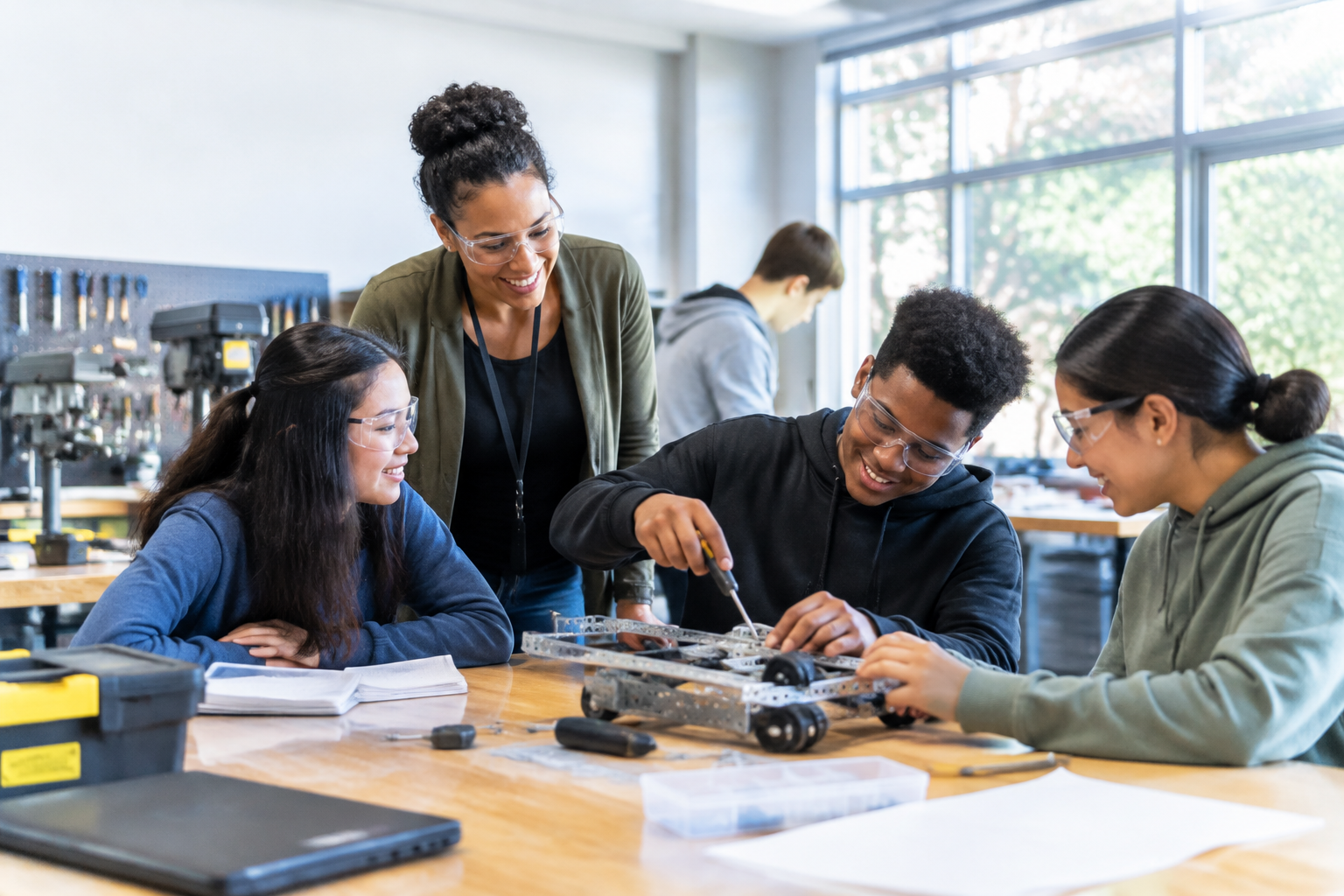
A practical guide to creating career technical education social media content that helps students and families understand programs, explore career pathways, and take the next step.
Career and technical education programs give students ways to explore practical skills, interests, and possible career pathways. But prospective students and families may not know what happens in a CTE classroom, which programs are available, or how to get started. Social media can help answer those questions—if content shows more than a list of program names.
Effective career technical education social media connects the everyday experience of learning with the questions people ask when considering a school. It makes programs easier to picture, gives students and staff a voice, and guides interested families toward a clear next step.
This guide shares adaptable CTE student recruitment content ideas, along with a planning framework for creating and publishing them consistently. For support with school-focused planning and publishing, visit [Onward Signal’s CTE social media marketing hub](/solutions/cte-school-social-media-marketing).
Start with the questions prospective students need answered
Before choosing formats or drafting captions, list the questions a student or caregiver might have. For example:
- What will I learn in this program?
- What does a typical project or class look like?
- Do I need experience before I enroll?
- What equipment, tools, or technology will I use?
- How do students explore different pathways?
- What are the program’s entry requirements and application steps?
- Who can answer questions about schedules, transportation, or support?
The answers will vary by school and program. Confirm details with the staff responsible for each pathway before publishing. A useful post is specific enough to help someone understand the experience, but careful not to promise an outcome that the school cannot guarantee.
12 CTE student recruitment content ideas
1. Show a project from first step to finish
A finished project can catch attention, but a short sequence can make the learning behind it clearer. Share a few stages: planning, practice, revision, and the completed work. Add a plain-language explanation of what students are learning at each stage.
For a video, use simple on-screen labels and captions so viewers can follow without sound. Make sure the project and any people shown are approved for public sharing.
2. Let students explain what they are learning
Invite students to describe a skill, class activity, or moment they found challenging. Use a short interview, a written quote, or a student-produced clip. Give contributors a choice about what to share, and review the final content through your usual school approval process.
Helpful prompts include: “What did you learn to do this week?” or “What surprised you about this class?” Keep the focus on students’ experiences rather than asking them to make broad claims about every student or the program’s outcomes.
3. Create a “day in the program” series
A series can help prospective students picture the rhythm of a program. One post might show a classroom setup, another a collaborative activity, and another a student reflecting on a project. A series also gives your team a repeatable format instead of requiring a brand-new concept every time.
Be thoughtful about what a single day represents. If schedules vary, say so. Avoid presenting a staged moment as a complete picture of the program.
4. Introduce instructors and support staff
People often want to know who will teach, mentor, or help them. Introduce instructors and relevant staff with concise answers to questions such as: What do you teach? What do you enjoy helping students learn? What should a new student know before the first class?
Check titles and program details before publishing. Keep personal information limited to what the staff member has agreed to share.
5. Explain one piece of equipment or technology
A “tool of the week” post can turn unfamiliar equipment into an approachable learning opportunity. Show the item in use, explain its purpose in everyday language, and describe how students learn to use it safely. Follow school safety practices and avoid showing procedures that should not be shared publicly.
6. Break down a pathway into steps
Some families may not know how courses or experiences connect. Create a simple graphic or carousel that explains the sequence of classes, projects, or exploration opportunities, using details verified by the program team. If a pathway has prerequisites or varies by student, note that and point viewers to a staff contact for individual guidance.
7. Share a project brief or design challenge
Invite viewers to think through a small, age-appropriate challenge related to a program. For example, ask what factors someone might consider when planning a design or solving a practical problem. The goal is to make the subject interesting, not to imply that a social media activity substitutes for classroom instruction.
8. Answer one enrollment question per post
A short Q&A series can reduce confusion around the next step. Possible topics include how to learn about program options, where to find application information, or whom to contact with questions. Coordinate with enrollment staff to ensure that dates, links, eligibility information, and process details are current before posting.
When an answer depends on a student’s circumstances, direct the viewer to a knowledgeable staff member rather than trying to cover every case in a caption.
9. Show a classroom routine or learning environment
A candid look at students collaborating, preparing materials, or practicing a skill can help audiences understand the learning environment. Explain what is happening in the scene instead of relying on a generic caption such as “Great work today.” Specific context makes a post more useful to someone exploring the program.
10. Make a myth-versus-fact post—with care
If your school regularly hears misunderstandings about a program, address them respectfully. Use a “question and answer” format and verify the answer with program leadership. Avoid mocking people who may have incomplete information, and don’t replace one misconception with an unsupported claim.
11. Invite families to an event or information session
Promote open houses, program demonstrations, and information sessions with clear details: who the event is for, what visitors can expect, when and where it takes place, and how to get more information. If registration is required, use the school’s approved link and verify it before publishing.
If you post reminders, make sure each one adds useful information or answers a common question rather than simply repeating the original announcement.
12. Celebrate learning milestones with context
Share a completed project, presentation, demonstration, or other milestone when it is appropriate and approved. Explain what students practiced or learned along the way. Don’t imply that one student’s experience is typical of everyone, or present a particular result as a guaranteed outcome for future enrollees.
Match each idea to a format and a next step
The strongest format is the one your team can produce well and your audience can understand. A photo with a clear caption may be more useful than a highly edited video. A short reel may work well for showing a sequence of actions. A carousel can give a pathway explanation room to unfold. A story can offer a timely reminder or behind-the-scenes moment.
For each post, decide on one primary purpose:
- **Awareness:** Help people notice a program or understand its subject.
- **Understanding:** Explain what students do, learn, or explore.
- **Engagement:** Invite a question, response, or event attendance.
- **Action:** Point to a relevant next step, such as an information page or contact person.
A call to action should match the post. “Explore program options,” “Ask us about the next information session,” and “Contact the enrollment team” are clearer than a vague “Learn more” when you can link to the right destination. Keep the path from post to next step short and check that the destination is current and accessible.
Build a repeatable CTE content plan
A practical plan balances recurring content with timely opportunities. Start with a manageable cadence your school can maintain, then organize ideas around a few themes:
1. Learning in action: Projects, demonstrations, classroom routines, and skill explanations.
2. People and community: Student perspectives, instructor introductions, and approved event coverage.
3. Program clarity: Pathway explainers, common questions, and program-specific details.
4. Enrollment guidance: Information sessions, application steps, reminders, and contact information.
Use a shared planning calendar to identify who will provide details, who will appear in content, who will review it, and when the post should go live. Build in time to check names, captions, links, dates, accessibility, and consent. If a post depends on a changing enrollment detail, assign someone to verify it close to publication.
A browser-first workflow can be useful when staff and student creators work across different devices or locations. Onward Signal is a browser-first AI-powered school social media and communication intelligence product. Its stated capabilities include student and staff creator workflows, a Creative Studio for formats such as captions and Reels, role-based approvals, student media-consent safeguards, and multi-school controls. Schools should evaluate any workflow against their own policies, staffing, and technology requirements. Explore [Onward Signal for CTE school social media marketing](/solutions/cte-school-social-media-marketing) to learn more.
Protect trust while showing real student experiences
Recruitment content should be inviting without putting pressure on students to perform for the camera. Use your school’s media-consent process, explain how content may be used, and offer alternatives for students who do not wish to participate. Check that people shown have the required permissions, particularly when content will be shared beyond the school community.
Also review the setting and details in each image or video. A background may reveal student information, schedules, or other details that should not be public. Use approved channels for questions that involve an individual student. Keep captions respectful and accurate, and avoid suggesting that a particular program guarantees employment, admission, or another future result.
Accessibility is part of making information usable. Add captions to videos, use readable text in graphics, write descriptive alt text, and avoid relying on color alone to communicate meaning. Provide a written summary when a visual post contains important information, and check that links work on mobile devices.
Review whether your content is helping
Social media performance is more than a count of likes. Choose measures that fit the purpose of each post. For awareness, you might review reach or video views. For understanding and engagement, look at meaningful questions, saves, shares, or event interest. For enrollment guidance, track visits to relevant pages or inquiries when your school has an appropriate way to do so.
Interpret these signals with care. A social interaction does not by itself show why someone enrolled, and a high-performing post is not automatically the most useful post. Pair platform measures with feedback from enrollment staff, students, families, and program teams. Use what you learn to refine future content, not to make unsupported claims about impact.
Frequently asked questions
What should a CTE school post on social media?
Post content that helps students and families understand the learning experience and next steps. Examples include student-approved project showcases, instructor introductions, program explainers, enrollment Q&As, and event invitations. Confirm details with the relevant staff before publishing.
How can social media support CTE student recruitment?
It can make programs easier to discover and understand by showing what students do, answering common questions, and directing interested people to verified information. Social media is one part of recruitment; it does not replace direct communication, program advising, or clear enrollment information.
How often should a school share CTE content?
There is no single schedule that fits every school. Choose a sustainable cadence based on your team’s capacity, the needs of your audience, and the channels you use. Consistent, useful communication is generally a better planning goal than posting more than your team can review carefully.
What should schools avoid in CTE recruitment posts?
Avoid outdated enrollment details, unsupported promises, unclear calls to action, and student content published without the proper permissions. Don’t assume one student’s experience represents every learner. Check facts, links, consent, and accessibility before publication.
Make your next post useful to a prospective student
Choose one program and one question a prospective student or family might have. Create a post that answers it with a real example, clear context, and a relevant next step. Then use what your audience asks to plan the next piece of content.
For a school-focused approach to planning and managing social content, visit [Onward Signal’s CTE social media marketing solution](/solutions/cte-school-social-media-marketing).
Turn school communication into a system—not another task list.
Build your School Brain, create governed campaigns and help your team tell the stories already happening every day.