A Practical Guide to School Social Media Guidelines and Policy Templates
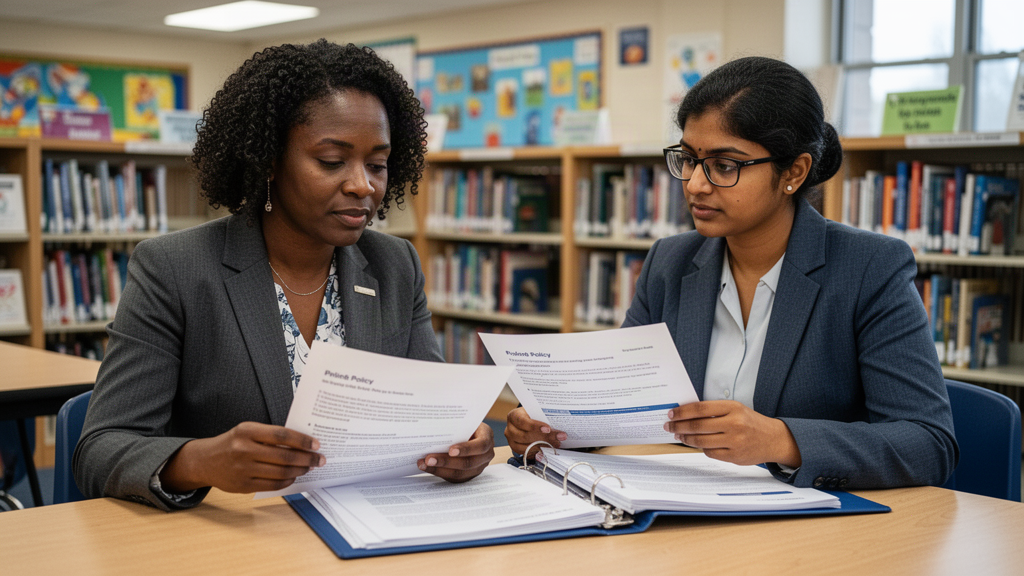
Build school social media guidelines that clarify who can post, what needs approval, how student privacy is protected, and what to do when something goes wrong. Includes a customizable policy template and implementation checklist.
School social media can help families see what learning looks like, find timely updates, and understand the character of a school community. But without clear guidelines, even well-intentioned posts can raise questions: Who is authorized to publish? Does a photo have the right permissions? Which account should respond to a concern?
A useful school social media policy answers those questions before a post is drafted. It sets boundaries and responsibilities while leaving room for authentic, timely communication. This guide explains the key parts of school social media governance and includes a customizable school social media guidelines and policy template.
What school social media guidelines should accomplish
A policy is more than a list of prohibited content. It is a shared operating guide for people who create, review, publish, and respond to social media on behalf of a school or district.
A practical policy should help your organization:
- Identify official accounts and their owners.
- Define who may draft, approve, publish, and respond.
- Protect student and staff privacy, including media-consent preferences.
- Set standards for accurate, respectful, accessible communication.
- Provide a clear route for urgent, sensitive, or potentially harmful content.
- Make the process consistent across schools without erasing local context.
The goal is not to make every caption sound alike. It is to make expectations clear enough that people can communicate with confidence and know when to ask for help.
Decide what your policy covers
Before writing rules, define the scope. A school system may have official district accounts, individual school accounts, program or athletics accounts, and accounts managed by staff or student creators. Each may have different publishing responsibilities, but families should be able to tell which accounts speak for the organization.
Clarify whether the policy applies to:
- Accounts owned or managed by the district, school, or network.
- Staff members posting in an official work capacity.
- Students who contribute content through an approved school program.
- Contractors, volunteers, or partner organizations creating content for school channels.
- Personal accounts, if the organization has relevant expectations or existing rules.
Avoid implying that an organizational policy controls every personal account. Coordinate this section with existing employee, student, technology, records, and communications policies. Have the appropriate district or school reviewer check language that affects employment, student conduct, privacy, or records.
Set roles and approval responsibilities
Unclear ownership is a common source of delay and risk. Your guidelines should name the roles involved and describe what each role is allowed to do. A small school may assign several roles to one person; a larger district may distribute them across a communications team and school leaders.
A simple responsibility model might include:
- **Account owner:** Maintains access, confirms the account is official, and reviews account details and authorized users.
- **Content creator:** Drafts copy, selects or creates visuals, checks basic accuracy, and flags consent or sensitivity questions.
- **Approver:** Reviews content for accuracy, audience, privacy, tone, and policy alignment.
- **Publisher:** Schedules or posts approved material and confirms it appears correctly.
- **Escalation contact:** Coordinates response when a post, comment, or direct message raises a safety, privacy, or reputational concern.
Write down which content can use routine approval and which requires a higher-level review. For example, a classroom activity recap might follow a standard review, while a post about a safety incident, personnel matter, or individual student situation should be routed to designated leadership. Set expectations for turnaround times and a backup approver so the process does not depend on one person being available.
Protect student privacy and manage media consent
Photos and videos can make school updates engaging, but teams need a dependable way to check whether a student may be shown in a particular context. The policy should explain where consent information is recorded, who may access it, and how creators should handle uncertainty.
Include practical instructions such as:
1. Check the school’s approved consent records before publishing identifiable student media.
2. Follow the organization’s process for students whose preferences limit use of their image or information.
3. Do not share sensitive personal details, schedules, contact information, or other information that could expose a student to harm.
4. Ask the designated contact when the record is unclear; do not treat silence or a past post as permission.
5. Use approved storage and transfer methods for photos and video.
Consent requirements and privacy obligations can vary by context. This template is an operational starting point, not legal advice. Have the appropriate district or school authority review the final policy against local requirements and existing procedures.
Create standards for content and accessibility
Give creators a short set of standards they can apply to every post. Policies are easier to follow when they use observable actions rather than broad instructions such as “be appropriate.”
Consider including expectations to:
- Verify names, dates, locations, links, and event details before publishing.
- Use respectful, welcoming language that reflects the school community.
- Avoid sharing confidential information or making promises on behalf of the organization without authorization.
- Use images, music, and other creative materials only through approved sources or processes.
- Add meaningful alternative text where the platform and workflow support it, and use captions for video when available.
- Keep text on graphics legible and provide essential information in the post text as well.
- Review links and calls to action on a mobile device when feasible.
Accessibility should be built into the routine, not left until the end. A quick checklist can help staff catch small barriers before a post goes live.
Define moderation and response practices
Social media is a publishing channel and a place where people may ask questions or raise concerns. Set expectations for monitoring, response times, and routing without promising that every message will receive an immediate answer.
Your policy should identify:
- Which roles monitor comments and messages, and during what hours.
- Which questions can receive an approved standard response.
- How to route concerns about enrollment, transportation, safety, or student support to the appropriate team.
- What to do with threats, disclosures of harm, personal information, spam, or abusive content.
- Who may hide, remove, or report comments, and when documentation is needed.
Do not invite staff to investigate sensitive claims in public comments. Acknowledge appropriately, move the conversation to an approved private channel when suitable, and follow the organization’s established escalation procedures. Keep a record when required by organizational policy.
A customizable school social media policy template
Adapt the following language to your organization. Replace bracketed text, align it with existing policies, and have the appropriate leaders review it before adoption.
**Purpose:** [District/school/network] uses social media to share approved information, celebrate learning, and help families and community members connect with school programs. These guidelines establish responsibilities for official accounts and school-sponsored content.
>
**Scope:** This policy applies to [list official accounts, programs, and content contributors]. It does not replace applicable student, staff, privacy, records, technology, or emergency communication policies. Questions about personal-account expectations should be directed to [role or office].
>
**Account ownership and access:** Official accounts are owned by [organization]. The account owner is [role]. Access is provided only to authorized users, reviewed [frequency or event], and removed when a user’s role changes. Account credentials and recovery details must be managed through [approved process].
>
**Content responsibilities:** Creators must verify factual details, follow brand and accessibility expectations, use approved media, and flag privacy or sensitivity concerns. Only authorized publishers may post. Content requiring additional review includes [examples], and must be approved by [role] before publication.
>
**Student and staff media:** Before identifiable student media or personal information is shared, the creator must follow [consent-check process]. When permission or context is uncertain, do not publish until [designated contact] has reviewed it. Staff and third-party media must also follow applicable organizational requirements.
>
**Comments and messages:** [Role/team] monitors official channels [schedule or service expectation]. Routine questions may be answered using approved information. Sensitive matters, safety concerns, complaints involving an individual, and disclosures of personal information must be routed to [contact/process]. Only [authorized role] may hide, remove, or report content, consistent with [organization’s moderation rules].
>
**Urgent and sensitive situations:** Do not post unverified information about an emergency, investigation, personnel matter, or student-specific situation. Refer the matter to [communications lead or designated authority] and follow the organization’s established response plan.
>
**Review and training:** Authorized users receive guidance on this policy before publishing. The policy and account access are reviewed [interval or trigger]. Questions or suspected violations should be reported to [contact].
The template is intentionally concise. Add a separate workflow or checklist if your team needs detailed instructions for drafting, review, scheduling, and archiving.
Put the guidelines into daily practice
A policy works only if staff can find and use it. Share it during onboarding, keep a current copy in a central location, and give creators a one-page checklist for routine posts. Walk through realistic examples: a field trip photo, a deadline reminder, a student achievement, and a sensitive community update.
Then map the actual process. Note who drafts, who checks consent, who approves, who publishes, and who monitors responses. If the same content is adapted for several schools or channels, define what may be reused and what must be reviewed locally. Periodically check whether account access is current and whether staff know the escalation contact.
For school teams coordinating multiple creators, channels, or campuses, an approval workflow can make responsibilities easier to follow. Onward Signal is a browser-first AI-powered school social media and communication intelligence platform with features including role-based approvals, student media-consent safeguards, multi-school controls, creator workflows, and Chromebook-friendly browser workflows. Explore the [school social media approval workflow](/solutions/school-social-media-approval-workflow) to see how a structured workflow may support your guidelines. Select tools based on your school’s needs and review their processes against your own requirements.
Common policy mistakes to avoid
- **Writing rules without naming an owner.** Assign responsibility for account access, policy questions, and escalation.
- **Making every post require the same level of review.** Define routine and higher-risk categories so oversight is proportionate.
- **Treating consent as a memory task.** Specify where the authoritative record lives and what to do when it is unclear.
- **Ignoring comments and direct messages.** Decide who monitors channels and how urgent or sensitive messages are routed.
- **Using vague standards.** Translate “use good judgment” into concrete checks for accuracy, privacy, accessibility, and tone.
- **Publishing a policy but not training creators.** Short examples and a repeatable checklist help turn written expectations into habits.
Frequently asked questions
How long should a school social media policy be?
Long enough to identify scope, roles, consent checks, content expectations, moderation, and escalation—but short enough for staff to consult. A concise main policy can point to separate procedures for account security, emergencies, records, or platform-specific instructions.
Who should approve school social media posts?
That depends on the organization’s structure and the post’s subject. Name routine approvers and define when school leadership, communications staff, or another designated authority must review content. Include a backup approver and a way to handle time-sensitive updates.
Should students be allowed to create social media content?
Some schools include students in supervised communications or media programs. If yours does, define the scope of student participation, adult oversight, consent checks, access limits, and final publishing authority. Student creators should not be left responsible for decisions reserved for school staff.
How often should guidelines be reviewed?
Set a regular review point and revisit the policy when accounts, roles, workflows, or organizational procedures change. Also review it after a significant issue reveals a gap. The right cadence depends on the school’s operations and existing governance.
Can a template replace legal or district review?
No. A template helps organize operational expectations, but it cannot determine how laws, contracts, or local policies apply to a particular school. Route the draft to the appropriate district or school reviewers before adoption.
Make your policy usable
Strong school social media guidelines clarify ownership, make approvals predictable, protect student privacy, and help staff respond thoughtfully. Start with the decisions your team makes every week, assign clear roles, and give creators a simple way to pause and escalate when something is uncertain. Then revisit the policy as your communications needs evolve.
For a closer look at organizing school social media approvals, visit Onward Signal’s [school social media approval workflow](/solutions/school-social-media-approval-workflow).
Turn school communication into a system—not another task list.
Build your School Brain, create governed campaigns and help your team tell the stories already happening every day.