A Practical Guide to Game Day Social Media Templates for High School
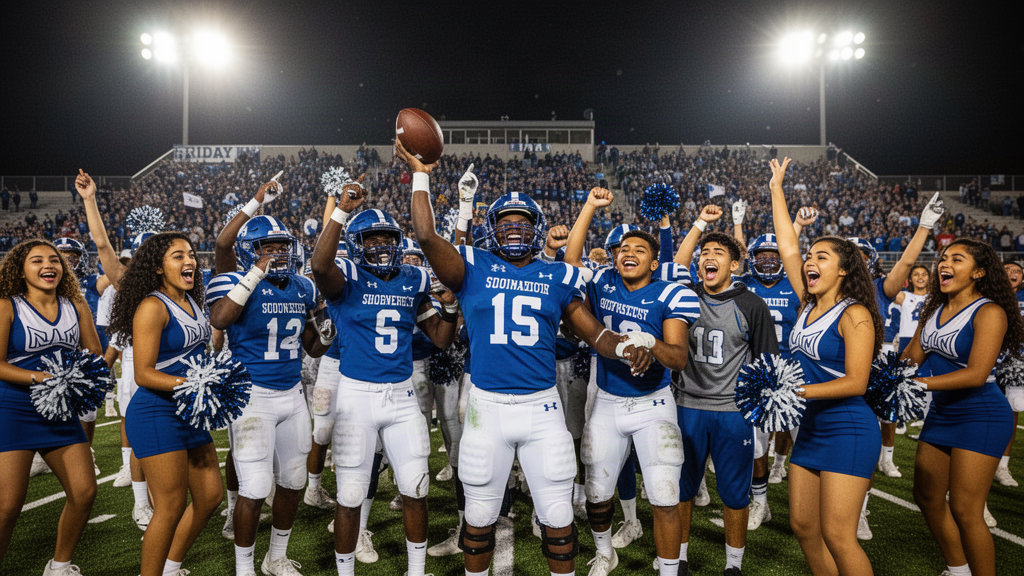
Build a repeatable, school-appropriate game day social media workflow with templates for schedules, live updates, final scores, student features, and more.
Game day brings together students, families, staff, alumni, and community supporters. It also gives a school communications team a lot to coordinate: schedules, venue details, weather changes, photos, score updates, and approvals. A reliable set of game day social media templates for high school can make that work more manageable without making every post feel identical.
Templates are not a substitute for good judgment or accurate information. They are a starting point: a repeatable structure for messages your team can adapt to each event. This guide covers what to prepare, what to include, and how to organize a practical workflow from pregame announcement to final recap.
What makes a useful high school game day template?
A strong template helps a busy team publish a clear, recognizable post with fewer last-minute decisions. It should leave room for the details that change from game to game while keeping essential information easy to find.
A useful template generally has:
- **A clear purpose:** A schedule announcement, ticket reminder, live update, or final score should be immediately recognizable.
- **Fields for event details:** Include placeholders for teams, date, start time, venue, and relevant links or instructions.
- **A consistent visual system:** Use school-approved colors, type, logos, and photo treatments where appropriate.
- **Readable design:** Keep text legible on a phone screen and avoid putting key details in crowded areas.
- **Room for review:** Make it easy to check spelling, event facts, image permissions, and tone before publishing.
- **An adaptable caption:** Give the writer a structure, not a rigid script that sounds the same every time.
Before building a library, decide who owns the source of truth for schedules, scores, venue changes, and ticket information. A polished graphic cannot make incorrect details useful. Confirm those facts with the appropriate athletics or school contact before posting.
Build a small template library around the event timeline
You do not need a separate design for every possible post. Start with a few flexible formats that cover the common stages of an event. Teams can add variations later based on their audience, channels, and workload.
1. Game announcement
Use this post to establish the basics before game day. Include the sport, opponent, date, start time, venue, and any verified ticket or attendance information. If there is a link for tickets or event details, make the next step clear.
Caption starter:
It’s game day for [team]! We’re playing [opponent] on [date] at [time] at [venue]. [Add verified ticket, entry, or event information.] We hope to see you there.
Check that the opponent name, time, and location match the latest schedule. If an event has special entry instructions, do not assume families already know them.
2. Schedule graphic or weekly roundup
A roundup can help families see several upcoming events in one place. Use a clear date range and keep each listing consistent: team, opponent, date, time, and location. If a schedule is subject to change, say so in a way that directs readers to the school’s chosen source for updates.
Caption starter:
This week in [school] athletics: [team] takes on [opponent] on [date] at [time]. See the graphic for upcoming events, and check [official schedule location] for confirmed updates.
A weekly graphic can become difficult to read if it contains too many events. Consider grouping by day or team, or using more than one post rather than shrinking the type.
3. Game day reminder
A reminder is useful when followers need a quick prompt and the details have not changed. Keep it short. Repeat the time and venue rather than relying on a prior post that someone may not have seen.
Caption starter:
Tonight: [team] vs. [opponent] at [time] at [venue]. [Add a verified ticket or arrival note if needed.] See you there!
If weather, transportation, entry, or schedule conditions change, update the message with confirmed information. Do not let a scheduled reminder publish automatically if the underlying details are no longer current.
4. Pregame or warmup post
A pregame post can introduce the event atmosphere without requiring a long caption. Use a school-approved photo or graphic and a brief line that identifies the team and event. Check photo permissions and avoid publishing sensitive or unnecessary student information.
Caption starter:
[Team] is getting ready to face [opponent]. The game begins at [time] at [venue]. Let’s support our [school] community.
5. Live update
Live coverage is optional. If staff or designated creators are posting during the event, agree in advance on who can share updates and what details need verification. A template can reserve space for a score, period or quarter, and time marker, but the person posting should confirm the update before it goes live.
Caption starter:
Update: [team] [score]–[score] [opponent], [period/quarter and time]. [Optional brief, school-appropriate context.]
Avoid presenting an unconfirmed score as final. Also agree on what your team will not post, such as private student matters, unsanctioned sideline images, or details that could create a safety concern.
6. Final score
A final-score post closes the loop for people who followed along or could not attend. Clearly label the result as final and identify both teams. Keep the message respectful regardless of the outcome.
Caption starter:
Final: [team] [score], [opponent] [score]. Thank you to everyone who supported [school/team].
Before posting, confirm the score with the designated source. If a statistic, player name, or milestone is included, verify that detail too.
7. Student, team, or community feature
A feature can recognize effort, teamwork, or community participation. Keep the focus appropriate to your school’s policies and audience. Obtain any required permission before sharing a student image or identifying information, and use the school’s established process rather than treating a public event as automatic permission to publish.
Caption starter:
A moment from [event]: [brief, verified description]. Thank you to [team, volunteers, or community group] for contributing to [school/community].
8. Postgame recap or next-event prompt
A recap can thank attendees and point toward the next event. Keep it factual and avoid making a single post carry too many messages. If you include a next game, verify its date, time, and venue separately.
Caption starter:
Thank you to everyone who joined us for [event]. Next up: [team] plays [opponent] on [date] at [time] at [venue]. Check [official schedule location] for updates.
A copy-and-customize template checklist
Use this checklist when creating each post, whether it is a graphic, caption, Story, or short video:
1. Name the purpose. What should this post help the audience know or do?
2. Gather confirmed details. Verify the event, teams, date, time, location, score, and any instructions with the responsible staff member.
3. Choose the right format. A compact reminder may work as a caption; a multi-event schedule may need a graphic or a series of posts.
4. Apply school identity. Use approved branding and keep layouts recognizable without sacrificing readability.
5. Check the asset. Confirm image rights and student or staff media-consent requirements before sharing a photo or video.
6. Review the copy. Check names, spelling, accessibility, tone, links, and whether the information could be misunderstood.
7. Assign approval. Make clear who reviews routine posts and who handles corrections or urgent changes.
8. Publish and monitor. Watch for questions or corrections, and respond through the school’s established process.
9. Record what to improve. Note recurring questions, workflow bottlenecks, and template changes for next time.
Organize the workflow before the season gets busy
The value of a template library depends on how people use it. A simple workflow can reduce confusion when several teams, departments, or creators contribute.
Set roles and boundaries
Decide who supplies event information, who creates content, who checks facts, and who approves publication. If students or staff help make content, explain which formats they may create, how to submit drafts, and which school rules still apply. A role-based process helps prevent the assumption that everyone can publish directly to an official account.
Keep reusable assets easy to find
Store approved logos, colors, photo guidance, caption starters, and current event details in a shared, organized place. Give templates descriptive names such as “final score,” “weekly schedule,” or “venue change” so a teammate can locate the right starting point under time pressure. Retire outdated versions rather than leaving several lookalike files in circulation.
Plan for changes and corrections
Weather, venue availability, and schedules can change. Identify who confirms a change and how the communications team will update previously published information. For a correction, state what has changed in plain language and point audiences to the current details. A scheduled post should be reviewed if its details may have become outdated.
Make accessibility part of the template
Use readable text size and sufficient contrast. Do not put essential information only inside an image; include the key details in the caption as well. Add useful alternative text when the publishing platform and workflow support it. Keep language direct, and explain abbreviations that families may not recognize.
Common mistakes to avoid
- **Overloading the graphic:** Too many words can make event details hard to scan. Prioritize the information the audience needs first.
- **Using a generic caption without checking details:** A reusable draft still needs event-specific facts and review.
- **Assuming a scheduled post is still accurate:** Confirm that times, locations, and event status have not changed.
- **Publishing photos without following consent rules:** Use your school’s media-consent safeguards and established review process.
- **Letting several people post without clear roles:** Separate content creation, fact-checking, and approval when your workflow calls for it.
- **Treating engagement as the only measure of success:** Consider whether families received accurate information, whether questions were addressed, and whether the process was manageable for the team.
How school teams can manage templates at scale
A school with a few events may manage templates in shared documents and design files. A larger program, charter network, or career school may need clearer controls for multiple accounts, reviewers, and contributors. In either case, the goal is the same: make useful content easier to prepare while keeping school-specific facts and safeguards in the process.
Onward Signal is browser-first, AI-powered school social media and communication intelligence designed by educators for educators as an Avodah Dynamics / Onward Suite product. Its product workflows include a School Brain, student and staff creator workflows, a Creative Studio for materials such as captions, flyers, newsletters, blog content, Reels, and Stories, role-based approvals, student media-consent safeguards, multi-school controls, automation, publishing architecture, a social inbox, analytics, enrollment attribution, and Chromebook-friendly browser workflows. Schools evaluating a platform can compare those needs with their existing approval, publishing, and measurement processes rather than assuming any tool replaces local policy or human review.
If your team is exploring a more organized approach, start with the [Onward Signal resources](/resources). Use the page to continue researching school communications workflows and identify the next step that fits your team.
Frequently asked questions
What should a high school game day post include?
At minimum, include the team or event, opponent if relevant, date, start time, and venue. Add verified ticket, entry, or schedule-update information when the audience needs it. A live update or final-score post should be clearly labeled so readers understand its status.
How many game day templates does a school need?
There is no universal number. Start with the formats your team uses most, such as announcements, reminders, schedule roundups, live updates, final scores, and recaps. Add templates when a recurring need becomes clear, not simply to create a larger library.
Can students help create game day social content?
They may be able to contribute within the school’s policies and supervision structure. Set clear roles, define what can be drafted or published, route content through the appropriate approval process, and follow student media-consent safeguards. Local rules and responsibilities should guide the workflow.
Should every game have a live social update?
No. Live coverage takes time and needs reliable information and an assigned person. A pregame post and a verified final score may be a better fit for some teams. Choose a cadence the school can maintain accurately and consistently.
What is the best way to handle a schedule change?
Confirm the change with the responsible athletics or school contact. Then update the relevant post or publish a clear correction that states what changed and where to find current details. Review queued content before it publishes so outdated information does not continue circulating.
How can we tell whether our templates are working?
Look beyond reactions. Review whether key details were accurate, whether families asked fewer repeated questions, whether staff could complete approvals on time, and whether the content reached its intended audience. Use your school’s available analytics and team feedback to decide what to adjust.
Make game day communication easier to repeat
A good template library saves decision-making for the details that matter: accurate information, thoughtful student representation, accessible content, and timely updates. Start with a few event formats, build a clear review path, and refine the templates as your team learns what families need. Explore the [Onward Signal resources](/resources) for more ideas on organizing school social media and communications.
Turn school communication into a system—not another task list.
Build your School Brain, create governed campaigns and help your team tell the stories already happening every day.